100 Etsy Canva Mockup Templates: A Complete Designer's Guide
Transform Your Etsy Shop with Professional Mockup Design
If you've ever spent hours wrestling with product photography for your Etsy listings, you know the struggle is real. Between finding the right lighting, staging props, and editing dozens of photos, creating professional-looking mockups can eat up your entire week. That's exactly why the 100 Etsy Canva Mockup bundle exists — to give sellers, designers, and digital entrepreneurs a massive library of customizable templates they can edit directly in Canva without any design experience.
This collection isn't just a random assortment of pretty templates. Each mockup was built with Etsy's visual standards in mind, designed to help your listings stand out in crowded search results while maintaining a cohesive, professional aesthetic across your entire shop. Whether you're selling printable planners, digital downloads, SVG files, or physical products that need a polished presentation, these templates handle the heavy lifting so you can focus on creating.
What Makes This Mockup Bundle Different
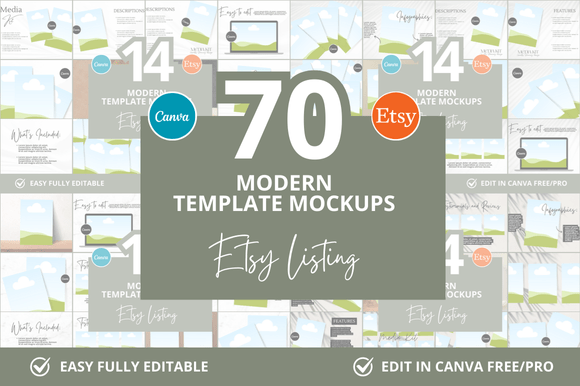
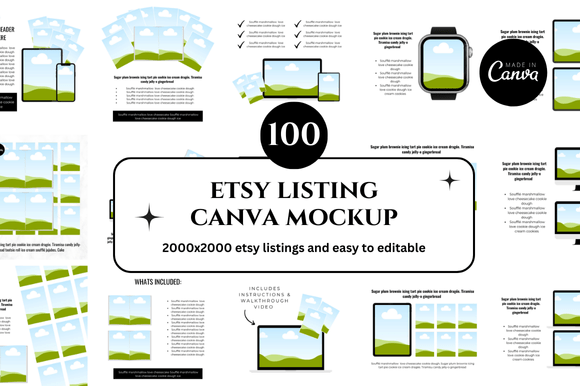
The 100 Etsy Canva Mockup collection includes 100 distinct listing templates that cover a wide range of product categories and visual styles. You'll find clean, minimalist layouts for modern brands alongside more textured, lifestyle-oriented designs for shops with a warmer personality. The variety matters because no two Etsy shops look alike — what works for a digital planner seller won't necessarily resonate with someone selling wall art or invitation templates.
Each template uses a square format that displays beautifully on Etsy's grid layout. Square listings have become the standard for good reason: they maximize visual impact in search results without awkward cropping or wasted space. The templates incorporate generous white space, clear product placement zones, and text areas that don't compete with your actual product imagery. This balance between information and breathing room is something many sellers struggle with when building mockups from scratch.
What sets these apart from generic mockup packs is the Canva integration. You receive a direct link to editable templates inside Canva, which means you can customize colors, swap fonts, adjust layouts, and upload your own product images using Canva's drag-and-drop interface. There's no need for Photoshop, no software installation, and no steep learning curve. If you can use basic social media tools, you can work with these templates effectively.
Real Applications for Etsy Sellers and Digital Entrepreneurs
Let's talk about where the 100 Etsy Canva Mockup bundle actually fits into your workflow. For digital product sellers, these templates solve one of the biggest presentation challenges: showing what a digital download looks like in a tangible, relatable way. A flat PDF screenshot rarely excites buyers. But place that same design inside a styled tablet mockup or a fanned-out planner spread, and suddenly the product feels real and desirable.
Printable sellers benefit enormously from mockup templates because they bridge the gap between digital files and physical outcomes. When a customer sees a wall art print displayed in a beautifully styled living room scene, they can mentally place it in their own home. This visualization drives purchasing decisions far more effectively than a blank white background ever could.
For Etsy shop owners managing multiple listings, consistency becomes critical. Your shop page should feel like a unified brand experience, not a chaotic collection of unrelated visuals. Using templates from the same bundle ensures your listing images share a cohesive color palette, typography style, and compositional approach. This visual consistency builds trust with shoppers and signals professionalism — two factors that directly influence conversion rates.
Design Quality and Customization Flexibility
The visual style of these mockups leans toward modern, clean design with enough variety to suit different brand personalities. You'll encounter templates with soft neutral backgrounds for elegant, understated shops, as well as bolder layouts with accent colors and geometric elements for more energetic brands. The typography choices within the templates reflect contemporary design trends — a mix of clean sans serif fonts for readability and subtle serif or script accents for visual interest.
Customization goes deeper than simply dropping in your product image. You can modify background colors to match your brand palette, adjust text placement, change font styles to align with your existing brand identity, and even restructure elements within the layout. This level of flexibility means the 100 templates can actually generate hundreds of unique variations, giving you far more value than the initial number suggests.
The templates also account for practical readability considerations. Text overlays use appropriate contrast ratios against backgrounds, font sizes remain legible at thumbnail scale (where most shoppers first encounter your listing), and visual hierarchy guides the eye from your product image to supporting text naturally. These aren't just aesthetic choices — they're functional design decisions that impact how effectively your listings communicate with potential buyers.
Smart Strategies for Using Your Mockup Templates
Getting the most from the 100 Etsy Canva Mockup bundle requires some intentional planning. Start by auditing your current listings and identifying which product categories need the strongest visual upgrade. Prioritize your bestsellers or newest products first, since those listings generate the most traffic and revenue.
When selecting templates, consider your target audience. A minimalist planner template might suit professional women aged 25–40, while a colorful, playful mockup could better appeal to crafters or hobbyists shopping for kids' printables. The template you choose should feel like a natural extension of the product itself, not a disconnected frame around it.
Pay attention to font pairing within your customized templates. If your brand uses a specific typeface, try to match or complement it rather than introducing conflicting styles. Canva makes this easy by allowing you to upload brand fonts or choose from its extensive library. A consistent typographic voice across your listings reinforces brand recognition and creates a more polished, intentional shopping experience.
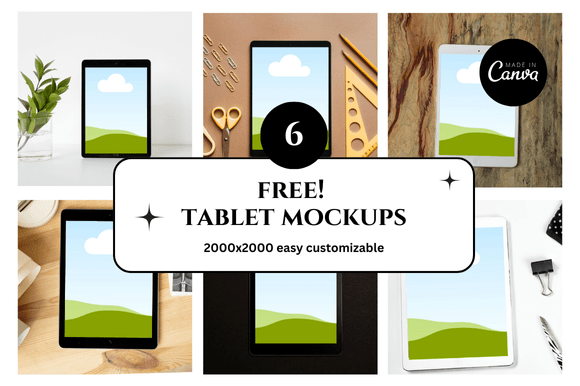
Finally, don't overlook the bonus freebies included with this bundle. Additional design assets can supplement your main templates, giving you extra flexibility for seasonal promotions, sale announcements, or social media graphics that complement your Etsy listings. Think of the entire package as a comprehensive visual toolkit rather than a one-time resource.
Building a Stronger Brand Through Visual Consistency
Your Etsy shop is more than a collection of products — it's a brand experience. Every listing image, shop banner, and cover photo contributes to how customers perceive your business. The 100 Etsy Canva Mockup bundle supports this bigger picture by providing a unified design system that scales with your shop as it grows.
Whether you're launching your first digital product or expanding an established Etsy business with dozens of listings, having professional, customizable mockup templates at your fingertips eliminates one of the most time-consuming aspects of selling online. You save hours of design work, maintain visual consistency across your catalog, and present your products in a way that actually converts browsers into buyers.
The instant download format means you can start working with these templates immediately — no waiting, no complicated setup. Open the Canva link, customize to match your brand, upload your product images, and publish. That straightforward workflow is exactly what busy sellers and entrepreneurs need.